
Sub-Total: $0.00

October 13, 2026
What Makes a Golf Simulator Feel Real? Room Design, Projection, Turf, and Software Explained
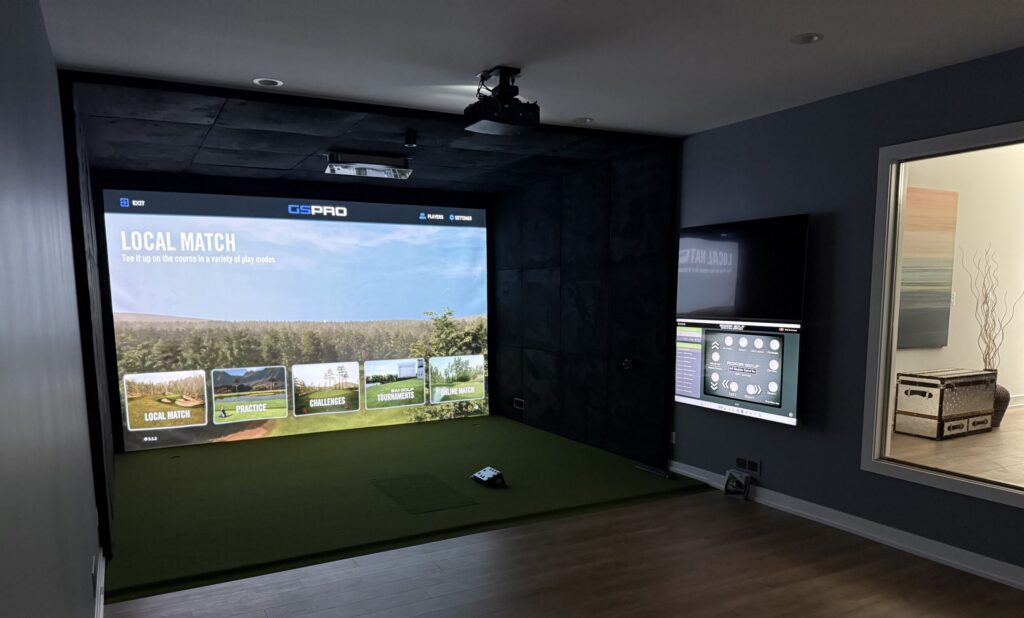
What Makes a Golf Simulator Feel Real?
Room Design, Projection, Turf, and Software Explained
A realistic golf simulator is about much more than displaying a golf course on a large screen. The experience depends on how accurately the system tracks the ball, how the software represents the course, how the image is projected, and how comfortably the room accommodates a real golf swing.
You can invest in expensive equipment and still end up with a disappointing setup if the screen is poorly positioned, the projector casts shadows, the turf feels awkward, or the room is too small.
The best simulator rooms are designed as complete systems. Every component plays a role in creating an immersive, comfortable, and reliable experience. From choosing the right launch monitor to planning the room’s dimensions, here’s what goes into building a golf simulator that feels real.
Choosing the Right Launch Monitor for Your Space
The launch monitor is at the heart of any golf simulator. It captures the data that drives each shot on the virtual course, measuring or calculating information such as ball speed, launch angle, spin, carry distance, club path, and face angle, depending on the system.
Different tracking technologies work in different ways. Camera-based systems use high-speed cameras to capture the ball and, depending on the unit, club information around impact. These systems can work well in rooms with limited depth because they generally don’t require a long ball-flight distance to gather data. Radar-based systems track the ball using radar technology, and some require more space between the hitting area and the screen. Hybrid systems combine technologies to capture shot information.
Rather than focusing solely on which brand is best, consider how the launch monitor will fit your room and how you’ll use it. A golfer primarily interested in virtual course play may have different priorities from an instructor who needs detailed club data.
Before purchasing, verify the manufacturer’s requirements for room dimensions, monitor placement, lighting, ball markings, and software compatibility. Selecting a system that works with your space and goals is the first step toward a realistic experience.
Creating an Immersive Experience With the Right Screen and Projector
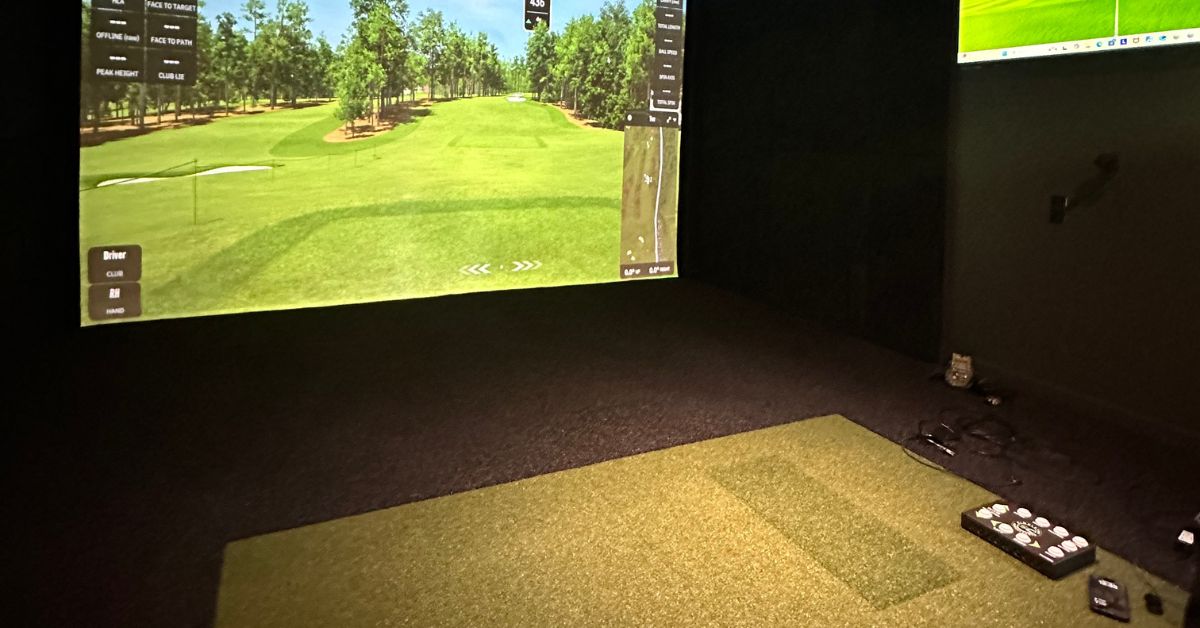
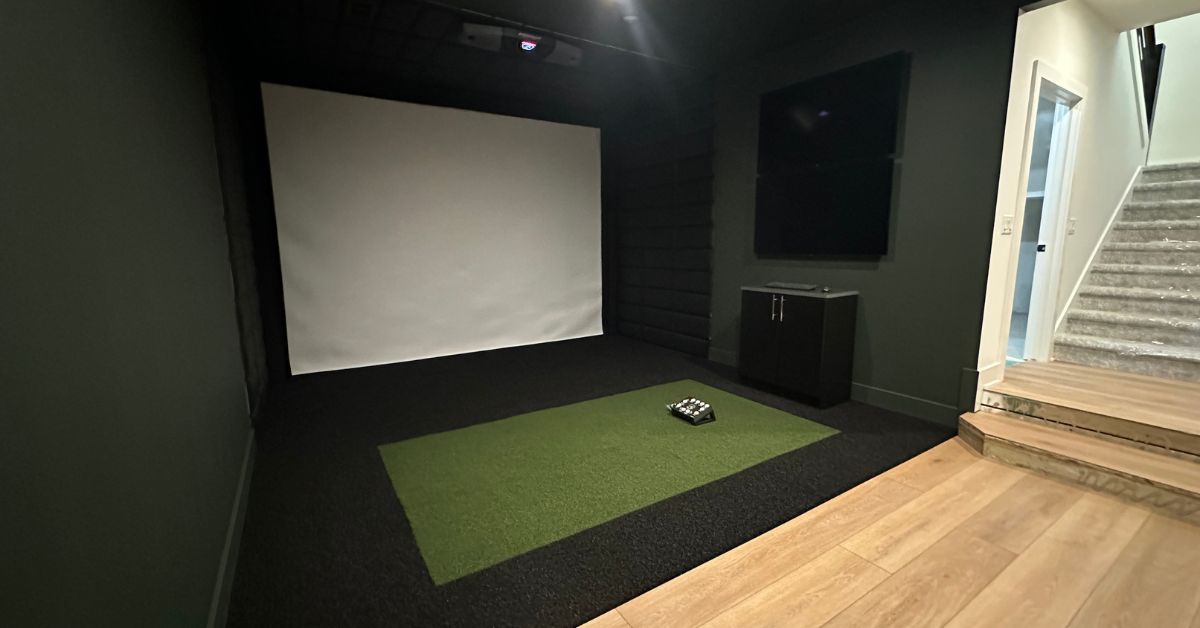
The impact screen and projector work together to bring virtual golf courses to life. The screen displays the projected image while absorbing golf shots when properly installed. Its size, material, and placement all influence how immersive the simulator feels. We custom-fit each screen to your space to create the best possible experience.
A larger screen can make gameplay more engaging, but it needs to fit the available wall, accommodate protective materials, and match the projector’s image dimensions. Screen material also matters, as different options vary in image quality, sound, durability, and impact performance. The enclosure, side barriers, and ceiling protection should be planned together to help contain mishits and protect the surrounding area.
The projector must also be matched to the screen and room layout. Resolution, brightness, throw distance, and mounting position all affect image quality. Short-throw projectors are commonly used because they can display large images from relatively short distances, but the right model depends on your screen dimensions and room geometry.
Planning projector placement early helps minimize shadows and avoid costly adjustments to mounting, wiring, or image alignment later. By coordinating the screen, projector, and protective enclosure from the start, you can create a clean installation and a more realistic golf simulator experience.
Why Turf Matters More Than You Might Think
Turf influences how the simulator looks, how it feels underfoot, and how comfortably golfers can practice. The hitting surface needs to accommodate repeated shots while providing a stable stance. Since mats vary in cushioning and feel, choosing the right surface can make a difference during longer practice sessions.
The surrounding turf serves a different purpose. It creates a finished appearance, covers the floor around the hitting area, and can provide space for putting or other practice activities when the selected material is suitable.
Before choosing turf, consider how frequently the simulator will be used and whether golfers will primarily hit full shots or practice putting. The height difference between the hitting mat and surrounding floor, the way the surface meets the screen and enclosure, and the material’s cleaning, wear, and maintenance requirements should all factor into the decision.
If you want to include a putting area, it’s worth discussing during the initial design process. The layout, turf type, and floor preparation may need to differ from those used for a standard hitting bay.
Getting Lighting Right for Better Visibility
Lighting can significantly affect both the projected image and the comfort of the room. Bright light directed toward the impact screen can reduce perceived contrast and make virtual courses look washed out. At the same time, golfers need enough light to see the ball, arrange their clubs, and move safely through the space.
A well-planned simulator room may use separate lighting zones for the hitting area, screen area, seating, and general circulation. Dimmable fixtures make it easier to transition between practice sessions and entertainment without compromising visibility.
Fixture placement is equally important. Lights should not interfere with the golfer’s swing or create distracting reflections. For multipurpose rooms, consider how the lighting will function both when the projector is on and when the space is being used for other activities.
By incorporating lighting into the overall design, you can improve the viewing experience while keeping the room practical and comfortable.
How Software Brings the Simulator to Life
While the launch monitor captures the shot, the software determines what happens next. It influences course selection, graphics, practice tools, multiplayer features, and the overall interface, making it an important part of the simulator experience.
Different platforms serve different purposes. Some focus on realistic course play, while others emphasize performance analysis, coaching, or entertainment. Compatibility varies by launch monitor, and certain features may require paid subscriptions or additional manufacturer software tiers.
The computer running the software deserves just as much attention. A system that cannot run the selected software smoothly can undermine an otherwise well-designed room. Its graphics capabilities and output resolution should match the software and projector, helping ensure that the experience remains smooth and the projected image looks as intended.
Designing a Room That Fits Your Swing
Even excellent equipment cannot compensate for a room that is uncomfortable to swing in. The dimensions of the space influence everything from launch monitor placement to the screen position and the golfer’s ability to swing freely.
Ceiling height is often the first limiting factor. Golfers need enough clearance for a full swing, including the driver, and the hitting mat may raise them slightly above the original floor level.
Width matters just as much. Golfers need enough space to swing without hitting walls or equipment, and the layout should account for whether left- and right-handed players will share the bay comfortably.
Depth determines where the screen, ball, golfer, and launch monitor can sit. Because some tracking systems have specific distance requirements, the same room dimensions won’t necessarily work for every setup.
When planning the space, consider the entire swing area rather than just the position of the ball. Testing the planned layout with the tallest golfers and the most demanding swings among the people who will use the room can help identify potential clearance issues before installation begins.
Why Every Component Needs to Work Together
A golf simulator is more than a collection of individual products. It’s a connected system in which the launch monitor communicates with the software, the computer supports that software, and the projector displays the output correctly on the screen. The enclosure, mat, turf, wiring, and lighting must all work around those components.
Choosing equipment independently can lead to avoidable problems. A projector may not suit the available throw distance, a launch monitor may require more depth than the room provides, or a computer may not support the desired resolution. An overhead sensor may also conflict with ceiling obstructions.
A coordinated design addresses these considerations before installation, reducing the risk of expensive changes later. When the equipment, room layout, and supporting components are selected together, the result is a more cohesive simulator experience that performs as intended.
Build a Complete Golf Simulator Experience With Simulator Consultants
Tracking technology, screen material, projection, turf, lighting, software, and room dimensions each play an important role in the final experience. The best results come from designing these elements together rather than treating them as separate purchases.
Simulator Consultants helps homeowners and businesses plan and install custom golf simulator rooms, with equipment and layouts selected around the available space and intended use.
Want a simulator that works as well as it looks? Contact Simulator Consultants to discuss a complete room design and installation.
Frequently Asked Questions About Realistic Golf Simulators
Does a more expensive launch monitor make a simulator more realistic?
Not necessarily. More expensive units may provide additional data or features, but the best option depends on your goals. Room design, software, projection, and correct setup also affect the overall experience.
Is 4K projection worth it?
It can improve image detail, especially on larger screens, but the result depends on the projector, software, computer, and screen. A well-matched 1080p setup can still deliver an enjoyable experience.
What causes shadows on a golf simulator screen?
Shadows commonly result from projector placement relative to the golfer and screen. Choosing a suitable projector and carefully planning its mounting position can help reduce them.
Can I upgrade my golf simulator later?
Some components can be upgraded independently, but compatibility matters. Before making changes, check how the launch monitor, software, computer, and projector work together.
Posted in Custom Installation
Recent Posts
Let's Get Started
Meet Our team
From your first call to the final install, you'll be working directly with the team building your space and sourcing your equipment.
Request Custom Installation
“*” indicates a required field.