
Sub-Total: $0.00

November 16, 2026
How Indoor Golf Leagues Are Changing the Simulator Experience
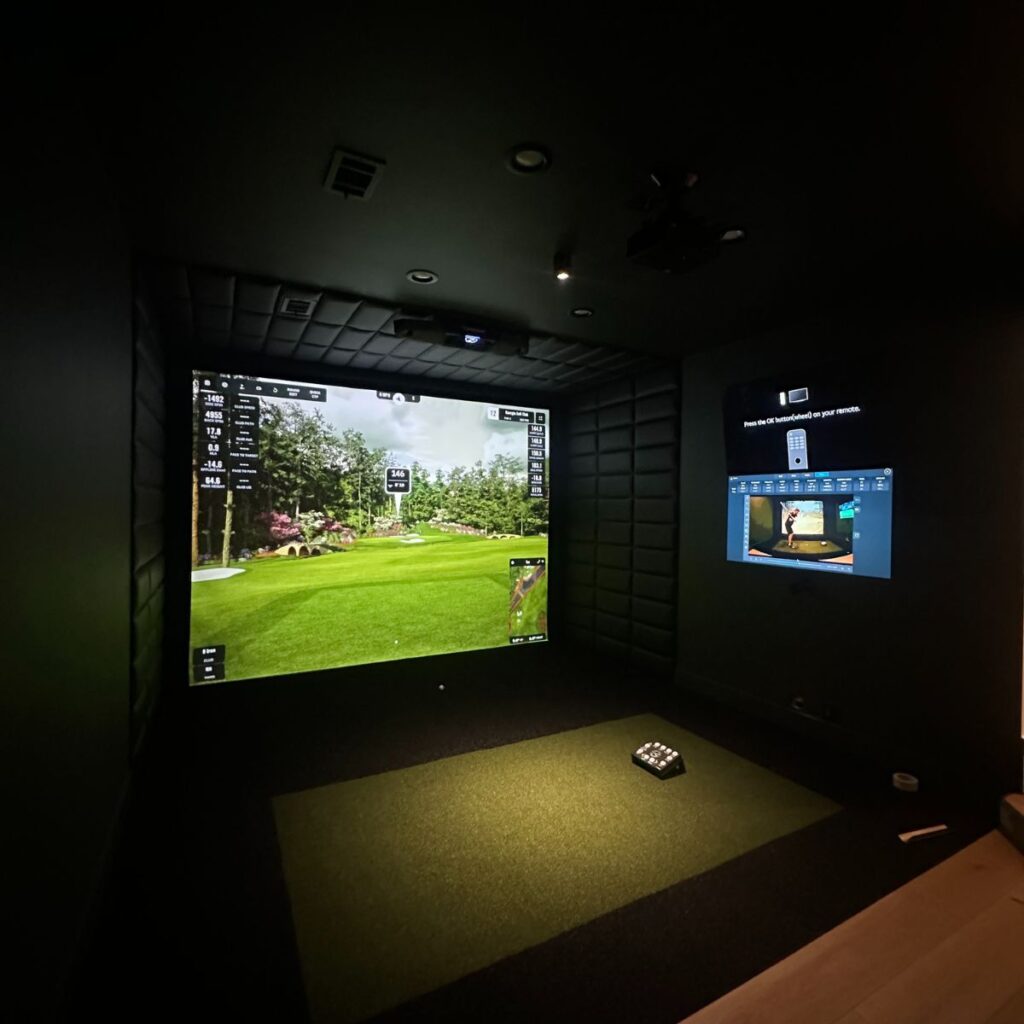
How Indoor Golf Leagues Are Changing the Simulator Experience
Golf simulators have changed the way people enjoy the game, making it possible to play year-round without worrying about weather, daylight, or course availability. But the experience goes beyond practicing your swing or playing a virtual round. Indoor golf leagues are bringing a new level of competition to simulator spaces, allowing golfers to participate in organized seasons, compete against other players, and track their performance through simulator software.
What makes this possible is the technology behind modern golf simulators. Launch monitors capture each shot, simulation software recreates the course, and built-in competition features can manage scores, standings, and player performance. Whether you’re playing at home or visiting a commercial indoor golf facility, these features can turn a regular round into an ongoing competition.
For anyone considering a custom golf simulator installation, understanding how league play works can help you get even more out of the equipment and software you choose.
How Do Golf Simulator Leagues Actually Work?
Indoor golf leagues operate much like traditional golf leagues, but the entire experience takes place through a golf simulator. Players join a competition, receive a schedule or assigned course, and play their rounds using a compatible simulator system.
Depending on the software, leagues can be organized and managed directly through the simulator platform or through an outside league organizer. Some platforms offer built-in tournaments, online competitions, and leaderboards, while others allow organizers to manage the schedule and standings separately.
A typical simulator league works like this:
- Players create profiles: Each participant creates a player account within the simulator software. This allows the system to keep track of individual scores, statistics, and playing history.
- A league is created: The organizer selects the competition format, number of players, schedule, and other rules. Depending on the platform, this may be set up directly through the software or managed separately.
- Courses and rounds are assigned: Players are given a specific virtual course or round to complete each week. Everyone follows the same course and rules to keep the competition consistent.
- Players complete their rounds: Golfers log in, select the appropriate competition, and play their round using the simulator. The launch monitor tracks each shot and the software calculates the score.
- Scores are recorded: Results can be saved to player profiles, submitted to the league, or automatically added to a leaderboard when the software supports it.
- Standings are updated: Players can follow their rankings throughout the season, see how they compare with others, and compete for the top position.
Some leagues require everyone to play at the same facility, while others allow participants to play from different locations using compatible online competition features.
The Role of the Launch Monitor and Simulator Software
The launch monitor is what makes simulator league play possible. Every time a golfer hits a shot, the launch monitor captures the ball’s movement and sends that information to the simulator software. The software uses the data to determine where the ball travels on the virtual course.
This happens throughout the entire round, allowing the system to calculate distances, track shots, and determine scores just as a golfer would experience on an actual course.
The simulator software manages the virtual playing experience and, depending on the platform, provides tools for competitive play. These can include:
- Player accounts and individual profiles
- Virtual course selection
- Automatic scoring and scorecards
- Online tournaments and competitions
- Leaderboards and player rankings
- Handicap and performance tracking
- Longest-drive and closest-to-the-pin contests
- Historical scores and player statistics
The specific features vary between software platforms. Some are designed with competitive play and online tournaments in mind, while others focus more heavily on practice, course play, and performance analysis.
This is an important consideration when choosing equipment for a custom installation. If you plan to participate in leagues or host competitions, the software should offer the features that support the type of play you have in mind.
Competing Against Other Golfers Online
One of the biggest advantages of simulator golf is that players don’t always have to be in the same room to compete.
Certain simulator platforms offer online play, allowing golfers with compatible systems to join the same virtual round or participate in organized competitions from separate locations. A player in one home can compete against someone playing at another home or facility, depending on the platform’s supported features.
Online competitions may include scheduled tournaments, weekly challenges, seasonal leaderboards, and head-to-head matchups. Players can complete rounds, submit scores, and compare results with other participants.
For homeowners, this means a golf simulator can connect you with friends and other golfers beyond your immediate area. For commercial facilities, online competitions can create additional opportunities to engage customers and offer events that extend beyond the building itself.
Not every simulator supports the same online features, so compatibility between the launch monitor, software subscription, and competition platform is important.
Different Ways to Play in a Simulator League
Golf simulator leagues can use many of the same formats found in traditional golf, with software features helping manage the competition.
Stroke Play
Players complete a full round, and the golfer with the lowest total score wins. This is one of the most straightforward formats and works well for individual competitions.
Match Play
Two players compete against each other hole by hole. Rather than comparing total strokes at the end, players earn points by winning individual holes. This creates a more direct competition and keeps matchups interesting throughout the round.
Scramble
Players compete in teams, with everyone hitting a shot before the team selects the best result and plays from that position. This format is popular for casual leagues and group events because golfers of different abilities can participate together.
Handicap Competitions
Some leagues use handicaps to account for differences in playing ability. This helps create more balanced competition between experienced golfers and those who are newer to the game.
Weekly Challenges
Not every competition needs to involve a full 18-hole round. Some simulator platforms offer challenges such as longest drive, closest to the pin, or target-based games. These can be used as individual competitions or added to a larger league.
The available formats and scoring options depend on the simulator software, but the variety makes it possible to create a competition that fits almost any group.
What Does This Mean for a Home Golf Simulator?
For homeowners, league play adds another reason to use a simulator beyond individual practice. Instead of turning it on only when you want to work on your swing, you can use it to host regular competitions with friends, family, and coworkers.
A group can establish a weekly league, choose a course to play, and track scores throughout the season. Some players may compete in person, while others can participate remotely if the software supports online play.
A home simulator can also be used for more casual tournaments, family competitions, and virtual rounds with friends. With the right software, players can save their scores, track improvement, and revisit previous rounds.
The room itself can be designed to accommodate more than the golfer hitting. Seating, entertainment features, and enough space for guests can make it a comfortable place to spend an evening, whether everyone is participating in the competition or simply watching.
How Commercial Golf Facilities Use Simulator Leagues
For commercial indoor golf facilities, league play can become a major part of the customer experience. Rather than relying entirely on individual simulator bookings, businesses can offer scheduled competitions that encourage customers to return regularly.
Many facilities organize leagues around weekly playing times, with participants assigned to teams or individual matchups. Players may compete on the same course each week or rotate through different virtual courses throughout the season.
Simulator bays are used just like they would be for a regular booking. Players select their league or competition, complete their round, and record their scores. Depending on the software and league setup, results may be tracked automatically or submitted to an organizer for updated standings.
Commercial facilities can also use simulator technology to host:
- Seasonal golf leagues
- Weekly tournaments
- Corporate golf competitions
- Longest-drive and closest-to-the-pin events
- Team scrambles and group competitions
- Online tournaments with remote participants
For a business owner planning a new facility, this makes the number of simulator bays, equipment selection, and overall layout especially important. Multiple bays can accommodate several groups at once, while seating and gathering areas give participants somewhere to relax between rounds.
Choosing the Right Simulator for League Play
Not every golf simulator is designed for the same type of use. Some systems focus primarily on practice and detailed swing analysis, while others offer extensive virtual course libraries, online play, and competitive features.
If league play is something you want to take advantage of, it’s worth considering software compatibility, online competition options, player management, scoring features, and the type of launch monitor being used.
The right setup depends on whether you’re planning to compete with friends at home, participate in online leagues, or operate a commercial facility that hosts organized competitions. These details can help determine which equipment and software make the most sense for your project.
Make More Out of Your Golf Simulator
Indoor golf leagues show just how much more a golf simulator can offer beyond practicing your swing. With the right technology, a simulator can become a place to compete, connect with other golfers, and enjoy organized play throughout the year.
Whether you’re interested in joining online competitions, hosting a weekly league at home, or creating a commercial facility built around tournaments and group play, a custom installation can be designed to support those goals.
At Simulator Consultants, we design and install custom golf simulator spaces for homes and businesses. From existing basements and garages to dedicated entertainment rooms and commercial facilities, we handle the project from design through installation.
If you’re considering a golf simulator, we can help you choose a setup that fits your space and the way you want to play.
Frequently Asked Questions
Do golf simulators have built-in league software?
Some simulator software platforms offer built-in tournaments, online competitions, leaderboards, and player profiles. Other leagues are organized externally, with scores tracked through the simulator and standings managed separately. Available features depend on the software.
Can I join an online golf league from my home simulator?
Yes, provided your launch monitor and simulator software support the online competition platform being used. Some platforms allow players to participate in tournaments and leagues from their own homes or facilities.
Does the simulator automatically keep track of league scores?
Many systems automatically calculate scores and maintain digital scorecards during a round. Whether those scores are automatically submitted to a league leaderboard depends on the software and how the competition is organized.
Do all players need the same golf simulator to compete?
Not necessarily. Some online platforms support players using different compatible simulator systems, while others require specific hardware or software. Compatibility should be checked before joining or organizing a league.
Can I use a golf simulator for both leagues and practice?
Absolutely. Most golf simulator setups can be used for virtual course play, practice sessions, swing analysis, and competitions, depending on the launch monitor and software selected.
Can I host a golf league on a home golf simulator?
Yes. A home simulator can be used to organize friendly leagues with friends, family, or coworkers. Players can compete in person or remotely when supported by the software, making it possible to create a season-long competition right from home.
Posted in Custom Installation
Recent Posts



Let's Get Started

Meet Our team
From your first call to the final install, you'll be working directly with the team building your space and sourcing your equipment.
Request Custom Installation
“*” indicates a required field.